


Overview
Imagine a virtual DJ mixing deck where you can seamlessly blend multiple videos into one epic timeline. Whether you’re adding flashy intros, snazzy outros, or even splicing in some behind-the-scenes footage, this feature lets you take your video content to the next level! In this tutorial, let’s dive into how you can seamlessly integrate multiple videos onto a single timeline. Users can easily enhance their video content by appending intros, outros, or supplementary segments. The workflow is straightforward and scalable.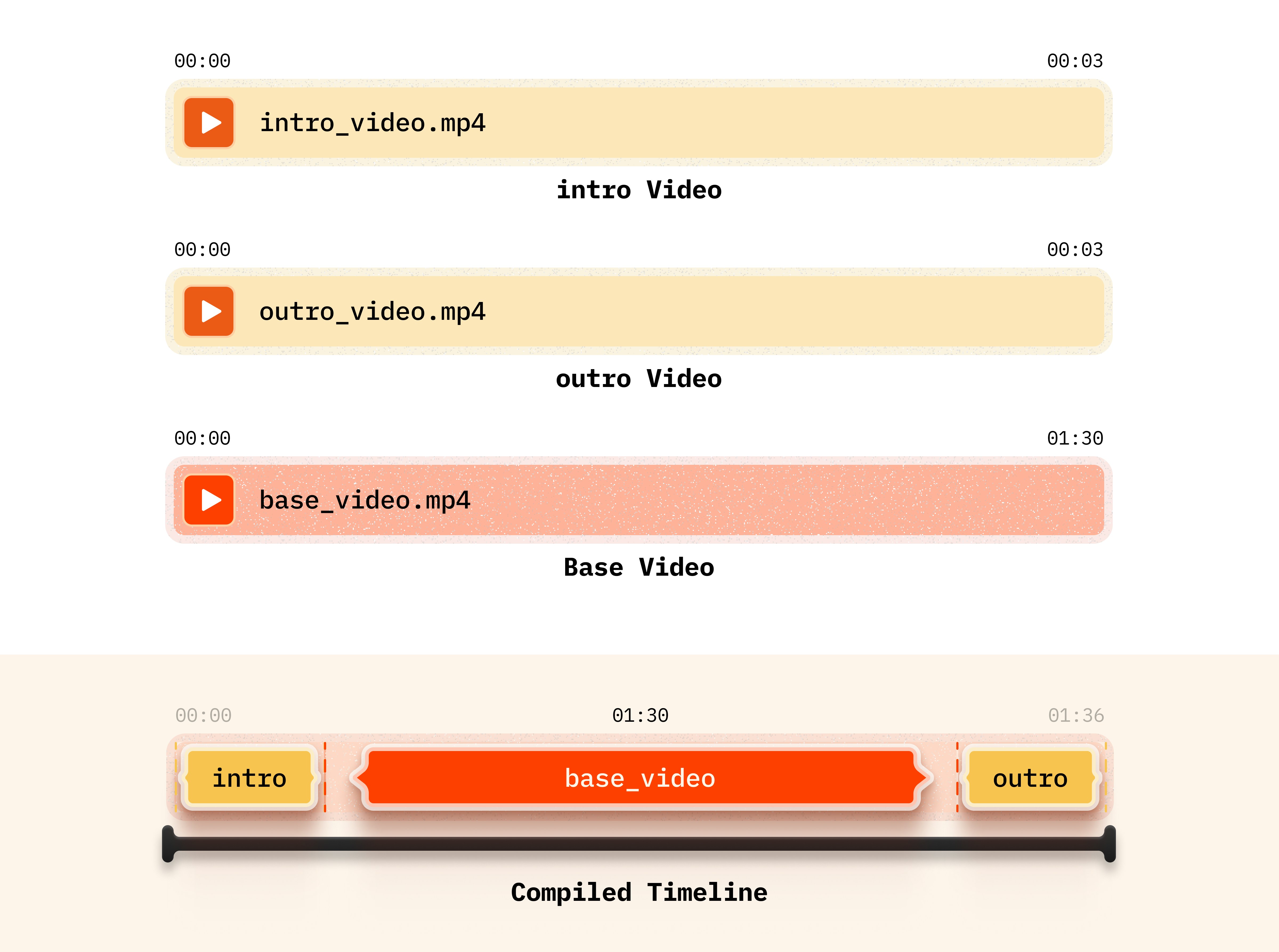
Setup
Installing packages
API Keys
Before proceeding, ensure access to VideoDB. Get your API key from VideoDB Console. Free for first 50 uploads, no credit card required.
Implementation
Step 1: Connect VideoDB
Connect to VideoDB using your API key to establish a session for uploading and manipulating video files. Import the necessary modules from VideoDB library to access functionalities.Step 2: Upload Videos
First, we upload an introductory video (“intro.mp4”) and an outro video (“outro.mp4”) into the collection, followed by the base video (“sugar_craving.mp4”). This approach allows us to efficiently reuse the intro and outro videos for other projects by simply changing the base video, thereby saving time and streamlining the video creation process. You can upload the video asset from your local device or from a YouTube URL to upload the video from its source.Step 3: Create assets
Adjust parameters for all the video assets according to your preference, such as start and end times.Step 4: Create timeline
Create video assets using the Editor SDK. Thestart parameter in VideoAsset trims from the beginning, and the duration in Clip controls how long the clip plays.
Step 5: Play the generated video stream
Conclusion
You can now efficiently manipulate and assemble video elements, resulting in professional-quality compositions.Explore Full Notebook
Open the complete implementation in Google Colab with all code examples.
Related Tutorials
Brand Elements
Add logos, text overlays, and custom styling to your videos
Timeline Architecture
Learn the fundamentals of VideoDB’s programmable video editing