

Programmatic Editing
Edit videos with code, not clicks. Compose, overlay, trim, and transform videos using the Timeline API.When to Use This
- You need to add intros/outros to hundreds of videos
- You want to insert dynamic ads based on viewer data
- You’re building a tool that adds branded elements automatically
- You need multi-version output (different aspect ratios, subtitles)
What You’ll Build
Intro & Outro
Automatically add opening/closing sequences
Brand Elements
Overlay logos, watermarks, and graphics
Audio Overlay
Add background music and sound effects
Dynamic Ads
Insert personalized ads per viewer
Dynamic Streams
Generate multiple versions from one source
Word Counter
Add analytical text overlays
Chess Montage
Auto-compile highlight reels from long videos
Timeline Architecture
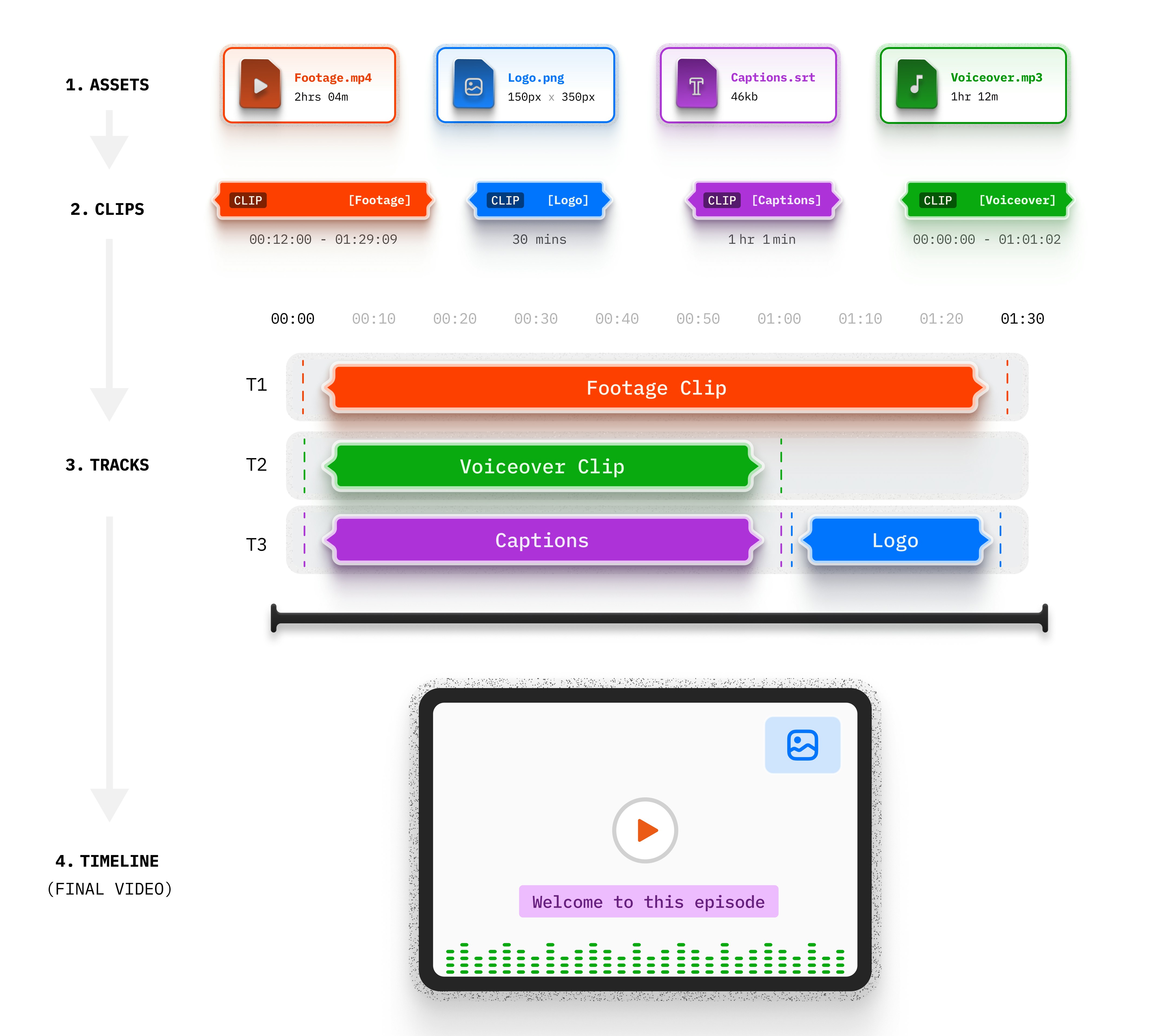 4 Layers:
- Asset - The media file (video, audio, image)
- Clip - A segment with timing and parameters
- Track - A layer in the composition
- Timeline - The complete output
How It Works
Related Documentation
Timeline Architecture
Deep dive into the 4-layer model
Clip Parameters
All available clip options
Aspect Ratio Control
Handle different video dimensions
Caption Asset
Add text overlays and subtitles
Explore Use Cases by Category
Video Enhancement
Intro & Outro
Auto-add opening and closing sequences
Brand Elements
Add logos, watermarks, and graphics
Audio Overlay
Add background music and sound effects
Dynamic Content
Dynamic Ads
Insert personalized ads per viewer
Dynamic Streams
Generate multiple versions from one source
Analysis & Compilation
Word Counter
Add analytical text overlays
Chess Montage
Auto-compile highlight reels from videos