

 Video files are not very flexible if we want to change the flow and insert another video at a certain place. Imagine putting a video advertisement on your video stream for your customers. You don’t need to edit the video file and create another one.
VideoDB simplifies it for you. It gives you power to build contextual Ad insertion and personalized Ad insertion on your videos.
Video files are not very flexible if we want to change the flow and insert another video at a certain place. Imagine putting a video advertisement on your video stream for your customers. You don’t need to edit the video file and create another one.
VideoDB simplifies it for you. It gives you power to build contextual Ad insertion and personalized Ad insertion on your videos.
Setup
Installing VideoDB in your environment
VideoDB is available as a python package
Setting Up a connection to VideoDB
To connect to VideoDB, simply create a Connection object, and connect to the collection. This can be done by either providing your VideoDB API key directly to the constructor or by setting the
VIDEO_DB_API_KEY environment variable with your API key. Get your API key from VideoDB Console. Free for first 50 uploads, no credit card required.Uploading the videos to VideoDB
Let’s have a base video as Sam Altman’s conversation on OpenAI and AGI. We’ll choose another video to insert in this 👉 (let’s get IBM’s Advertisement). We are going to insert the Ad video into the base video at a specific timestamp. For this, we will need to first upload both the videos toVideoDB.
Inserting Ad in our Base Video
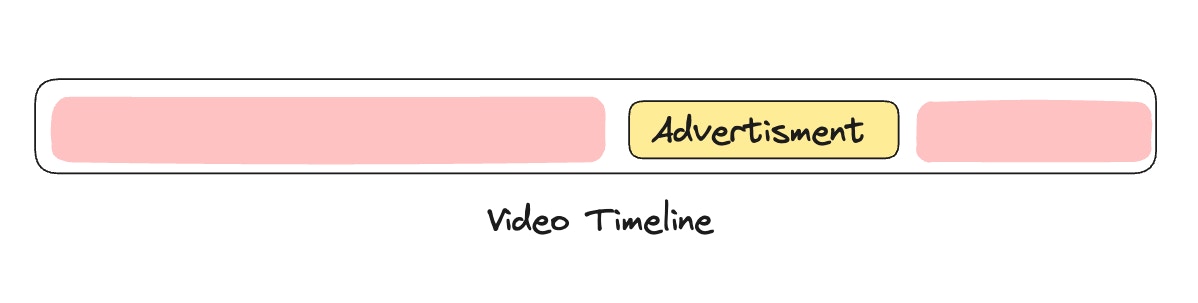
Now that we have both videos uploaded, we’ll use VideoDB’s Editor SDK to create a timeline with multiple clips. We’ll break the base video into segments and insert the ad at the 10-second mark:- Clip 1: Base video from 0 to 10 seconds
- Clip 2: Full ad video
- Clip 3: Base video continues from 10 seconds to end
stream_link is a streaming link that offers instant playback capability – no rendering necessary. ⚡️
Play Modified Video
Let’s check the results:No Limitations
The inserted video doesn’t have to be solely for advertisements; it can be a disclaimer or announcement for the person watching the video. Furthermore, your stream is dynamic, enabling you to adjust the timestamp and insertion video based on your business logic. This is an incredible power to have for any product hosting videos. Let’s master video content manipulation like a pro!Explore Full Notebook
Open the complete implementation in Google Colab with all code examples.
Related Tutorials
Brand Elements
Add logos, watermarks, and graphics
Dynamic Streams
Generate multiple versions from one source