

Quick Example
How It Works
- Query Understanding - Your query is transformed into a vector embedding
- Similarity Matching - Embeddings are compared against indexed content
- Relevance Scoring - Results are ranked by semantic similarity
- Timestamp Retrieval - Matching segments are returned with timestamps
Search Types
Semantic Search (Default)
Understands meaning and intent, not just keywords.- Questions (“What causes…?”, “How do you…?”)
- Conceptual queries (“explain the theory”)
- Fuzzy matching (“something about cars”)
Keyword Search
Exact substring matching. Finds literal occurrences.- Technical terms
- Proper nouns
- Exact phrases
Comparison
Index Types
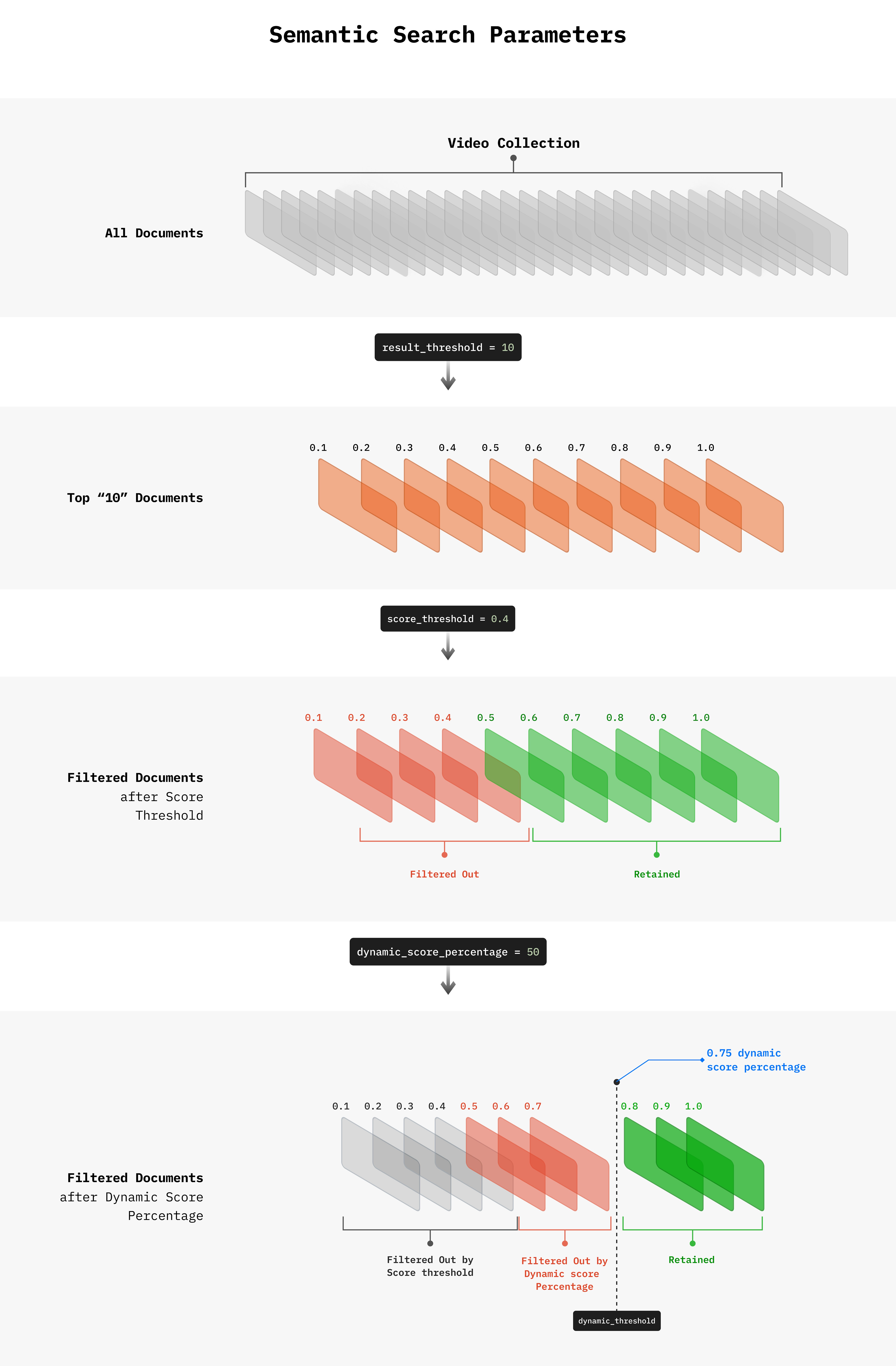
Specify which index to search.Tuning Results
Result Threshold
Limit the number of results returned:Score Threshold
Filter out low-relevance results:Dynamic Score Percentage
Adaptive filtering based on score distribution:Search Parameters Reference
Query Examples
Sort by Timestamp
Spoken Content Queries
Visual Content Queries
Multimodal Queries
Combine spoken and visual search for precise results:What You Can Build
Keyword Search Compilation
Create highlight reels from specific keywords or phrases
Multimodal Search
Combine spoken and visual search for precise results
Character Clips
Extract clips featuring specific people using search
Next Steps
Timestamps, Clips, Streams
What you get back from search
Collection Search
Search across your entire library