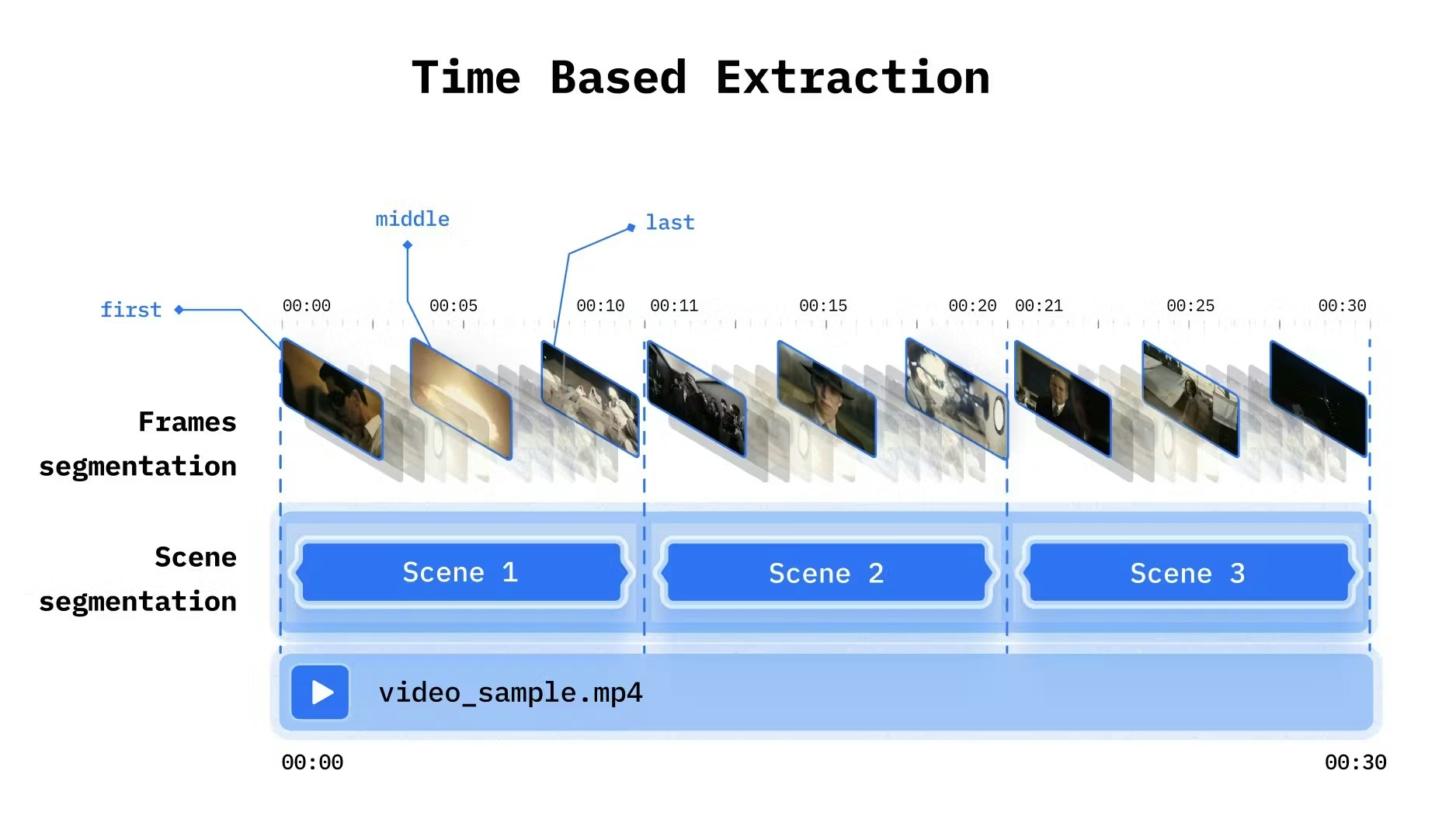
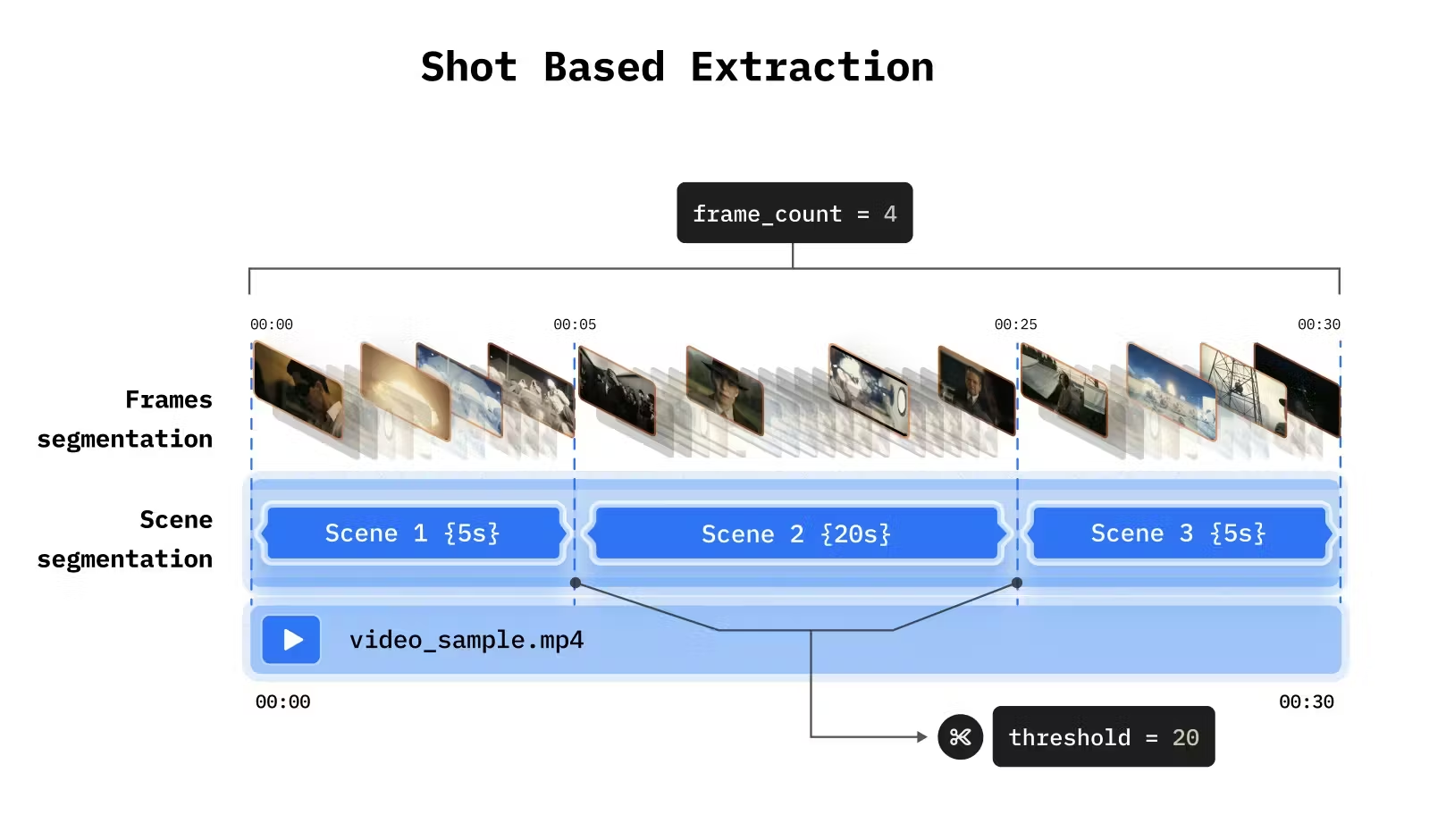
Video carries information in multiple modalities: what’s said, what’s shown, and how it changes over time. Multimodal indexing extracts meaning from all of these through extraction strategies for combining visual and spoken content analysis.
from videodb import SceneExtractionType# Index spoken contentvideo.index_spoken_words()# Index visual content with extraction strategyvideo.index_scenes( extraction_type=SceneExtractionType.time_based, extraction_config={"time": 5, "frame_count": 3}, prompt="Describe the scene, people, and any visible text")
Split video into fixed intervals. Simple and predictable.
from videodb import SceneExtractionTypevideo.index_scenes( extraction_type=SceneExtractionType.time_based, extraction_config={ "time": 10, # Scene length in seconds "frame_count": 2 # Frames to analyze per scene }, prompt="Describe what's happening")
Parameter
Type
Default
Description
time
int
10
Interval in seconds
frame_count
int
1
Frames per scene
select_frames
list
["first"]
Which frames: "first", "middle", "last"
Use either frame_count or select_frames, not both.
# General descriptionprompt = "Describe what's happening in this scene"# Object-focusedprompt = "Identify all objects and people visible"# Action-focusedprompt = "Describe the activities and movements"
# Retail / E-commercevideo.index_scenes( prompt="Identify products, brands, and pricing visible on screen")# Sportsvideo.index_scenes( prompt="Describe the play, players involved, and outcome")# Securityvideo.index_scenes( prompt="Identify people, vehicles, and any unusual activity")# Educationvideo.index_scenes( prompt="Describe the topic being taught and any diagrams or text shown")
Guide the model to produce consistent, parseable output:
prompt = """Describe this scene with the following structure:- Setting: Where is this taking place?- People: Who is present and what are they doing?- Objects: What notable items are visible?- Action: What is happening?"""
For content where a single frame captures the scene:
# One frame is enough for static shotsvideo.index_scenes( extraction_type=SceneExtractionType.time_based, extraction_config={"time": 10, "frame_count": 1}, prompt="Describe the scene")
# Multiple frames to capture motionvideo.index_scenes( extraction_type=SceneExtractionType.time_based, extraction_config={"time": 5, "frame_count": 5}, prompt="Describe the activity and how it progresses")
# First and last frames onlyvideo.index_scenes( extraction_type=SceneExtractionType.time_based, extraction_config={"time": 10, "select_frames": ["first", "last"]}, prompt="Describe how the scene changes from start to end")
# Detect vehicle colors (single frame sufficient)video.index_scenes( extraction_type=SceneExtractionType.time_based, extraction_config={"time": 1, "frame_count": 1}, prompt="Identify the color and type of each vehicle")# Detect stopped vehicles (need multiple frames)video.index_scenes( extraction_type=SceneExtractionType.time_based, extraction_config={"time": 4, "frame_count": 5}, prompt="Identify if any vehicle has stopped or is moving slowly")