


Adding Subtitles
This guide gives you an introduction to addingSubtitle Styles by showing you visual outputs of the configurations available for the SubtitleStyle class:
Typography and Style
Font families, sizes, spacing, and text effects
Color and Effects
Primary colors, outlines, and background styling
Positioning and Margins
Alignment and margin configuration
Text Transformation
Scaling, rotation, and skewing effects
Borders and Shadow
Border styles, outlines, and shadow depth
🛠️ Setup
Installing packages
API Keys
Before proceeding, ensure access to VideoDB. Get your API key from VideoDB Console. ( Free for first 50 uploads, No credit card required )Connect to VideoDB
Upload Video
Upload a base video to add subtitle. For this guide, we’ll use the following video.file_path in upload().
Auto Subtitle Compatibility
The following
index_spoken_words() and add_subtitle() flow is a current auto-caption compatibility path, not a V2 search/indexing workflow. For new timed captions, create an SRT-backed CaptionAsset with the Track Layering timed-caption flow.Default Auto Subtitles
To add subtitles to your video you can usevideo.add_subtitle().
This method returns a streaming link that you can play using play_stream() method.
Custom Styled Subtitles
To customise the style of subtitle, passSubtitleStyle() with configured styles to video.add_subtitle().
View API Reference for SubtitleStyle class 💅
1. Typography and Style
Configure Typography of the Subtitle by passing following parameters toSubtitleStyle() class
font_name: The name of the font to use for the subtitles.font_size: The size(px) of the fontspacing: Spacing(px) between charactersbold: Set toTruefor bold textitalic: Set toTruefor italic textunderline: Set toTruefor underlined textstrike_out: Set toTruefor strike-through text

2. Color and Effects
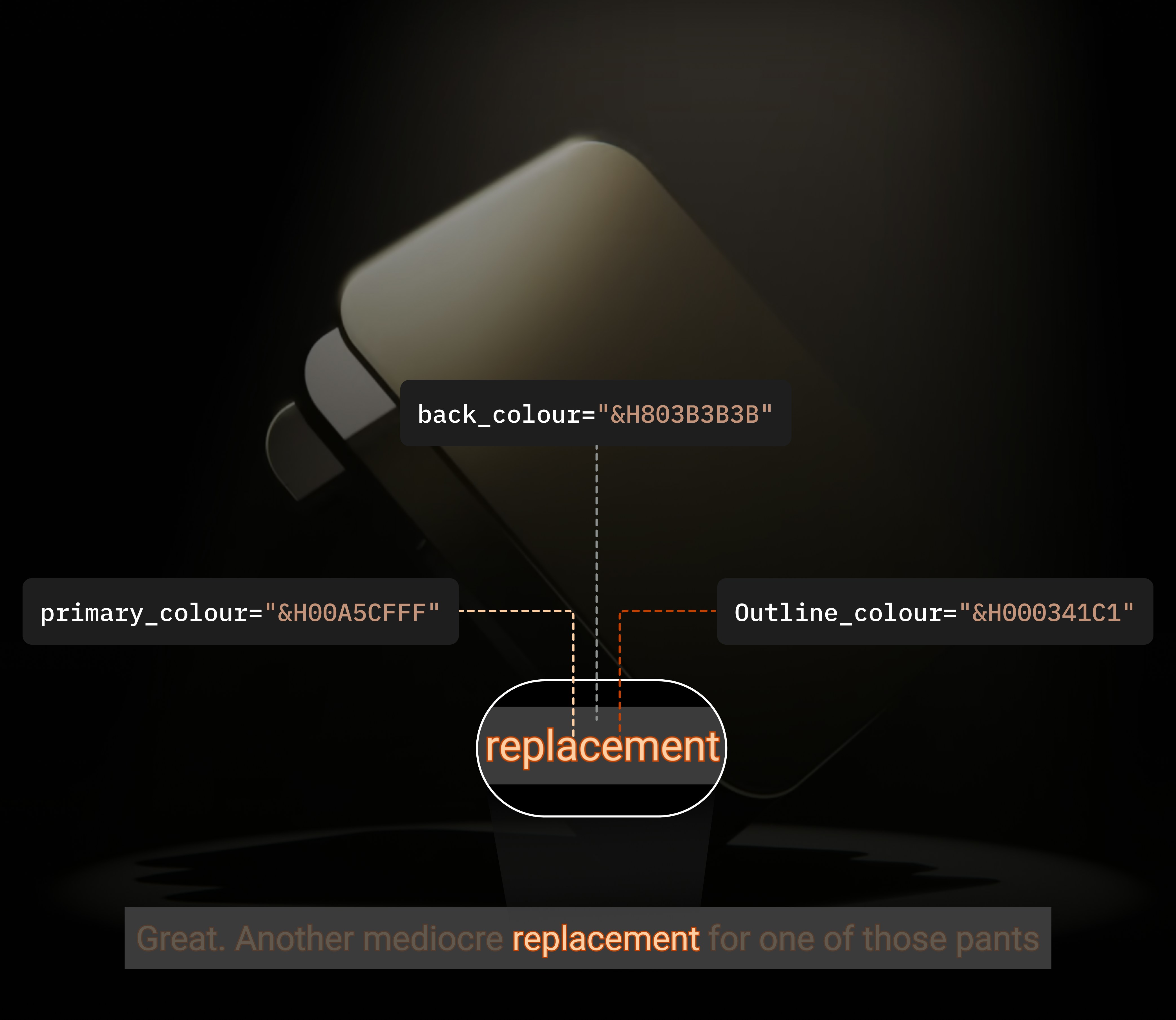
Configure color of Subtitle by passing following parameters toSubtitleStyle() class
primary_colour: The color of the main subtitle text.secondary_colour: The color used for karaoke or secondary effects.outline_colour: The color of the outline of the text.back_colour: The color of the subtitle background.
SubtitleStyle accepts colors in the &HBBGGRR hexadecimal format, where the sequence represents the blue, green, and red components.
&H prefix is required in this color format.
And when transparency is needed, an alpha value is placed at the beginning, yielding &HAABBGGRR.
3. Position and Margins
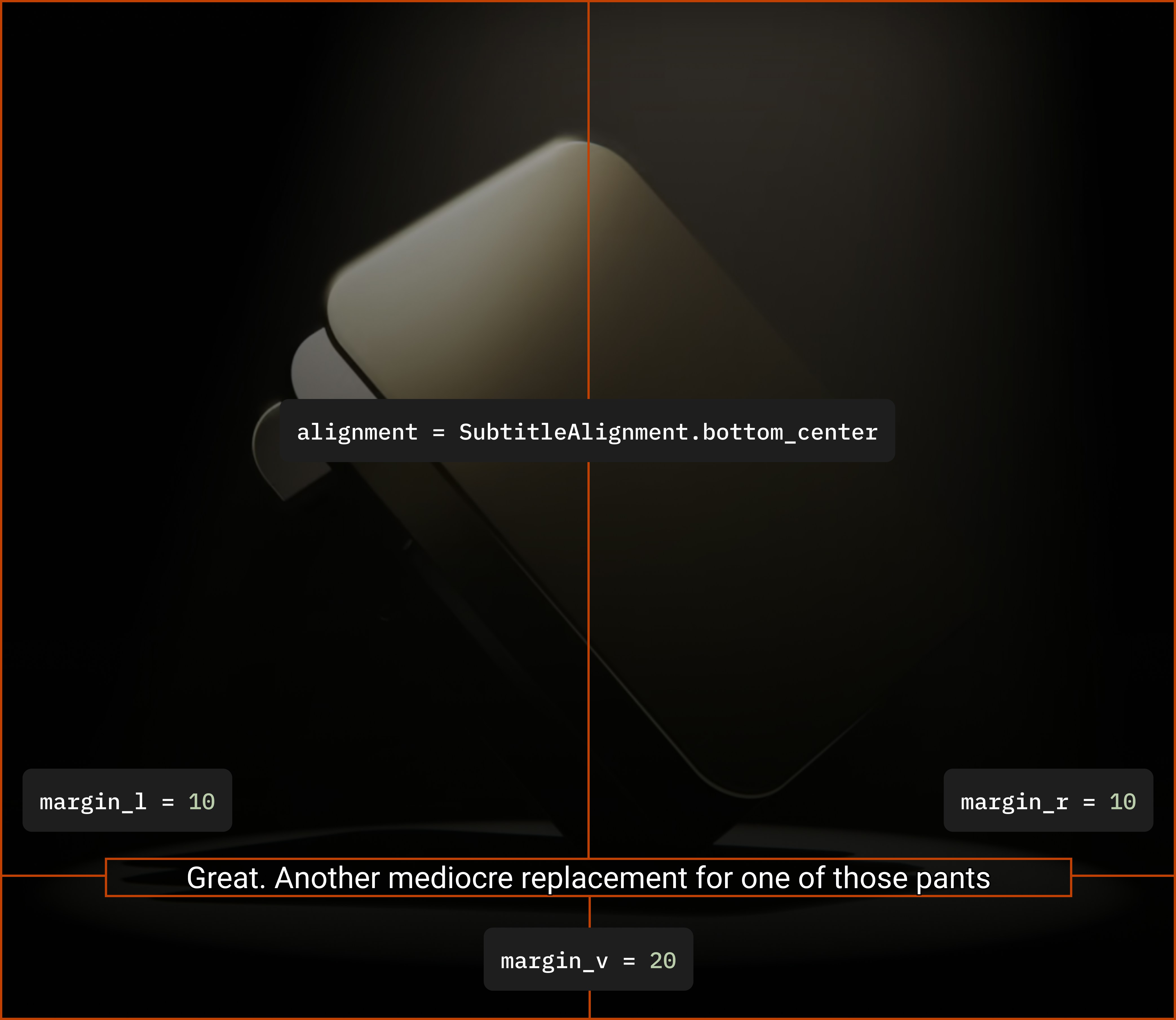
Configure alignment and position of Subtitle by passing following parameters toSubtitleStyle() class
alignment: Alignment of subtitle. Accepts a value of typeSubtitleAlignmentmargin_l: Sets margin area on left side of Subtitle boxmargin_r: Sets margin area on right side of Subtitle boxmargin_v: Sets margin area of top and bottom of Subtitle box
SubtitleAlignment.
4. Text Transformation
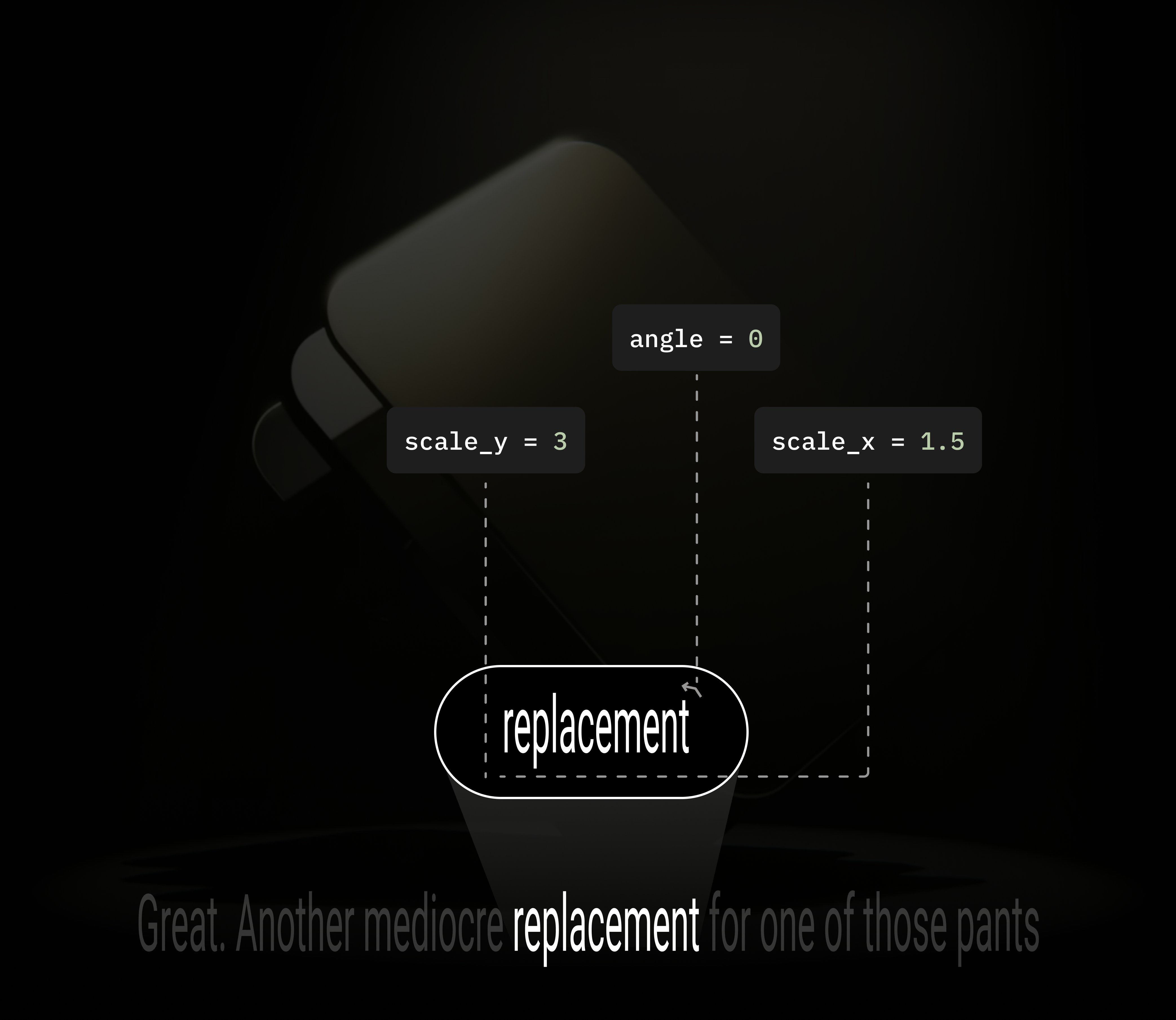
Transform the text size and spacing by passing following parameters toSubtitleStyle() class
scale_x: Factor for scaling of the font horizontallyscale_y: Factor for scaling of the font verticallyangle: Rotation angle(degrees) of the text
5. Borders and Shadow
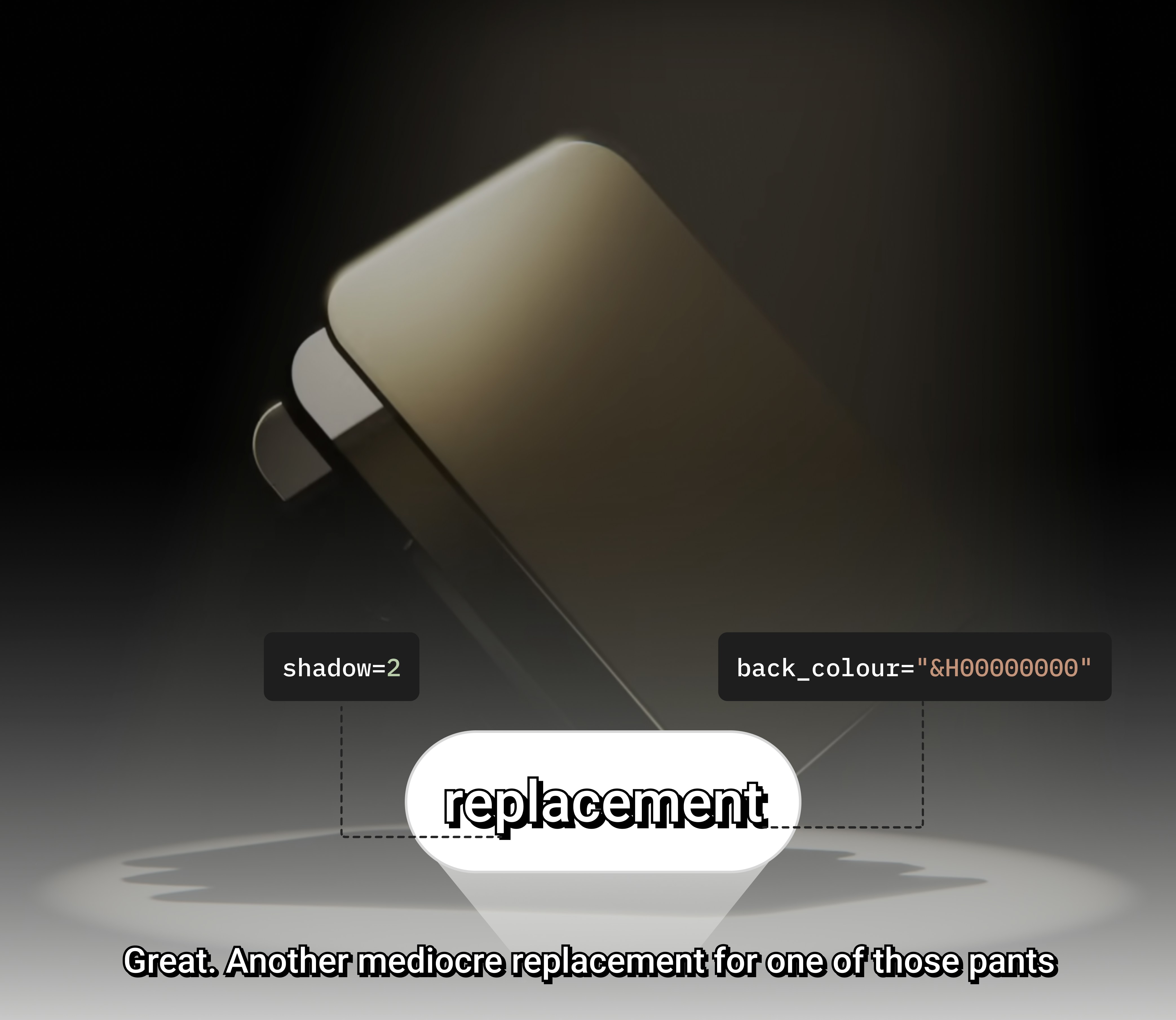
Add border style, outline and shadow by passing following parameters toSubtitleStyle() class
border_style: Border style of subtitle. Accepts a value of typeSubtitleBorderStyleoutline: The width(px) of the outline around the text.shadow: The depth(px) of the shadow behind the text
SubtitleBorderStyle.
Next Steps
Subtitle Styles Reference
Complete API reference for SubtitleStyle parameters and configuration options.
Get Support
If you have any questions or feedback, feel free to reach out to us:Discord Community
Connect with the VideoDB community
GitHub
View our open source projects
Email Support
Reach out directly to our team