> ## Documentation Index
> Fetch the complete documentation index at: https://docs.videodb.io/llms.txt
> Use this file to discover all available pages before exploring further.
# Stream Lifecycle
> Manage RTStream lifecycle - start, stop, resume, and handle live stream sources including meeting recordings.
## Quick Example
```python Python theme={null}
import videodb
conn = videodb.connect()
coll = conn.get_collection()
# Get existing stream
rtstream = coll.get_rtstream("rts-xxx")
# Control lifecycle
rtstream.stop() # Pause ingestion
rtstream.start() # Resume ingestion
```
```javascript Node.js theme={null}
import { connect } from 'videodb';
const conn = await connect();
const coll = await conn.getCollection();
// Get existing stream
const rtstream = await coll.getRtstream("rts-xxx");
// Control lifecycle
await rtstream.stop(); // Pause ingestion
await rtstream.start(); // Resume ingestion
```
***
## Lifecycle Control
### Start/Stop
```python Python theme={null}
# Pause ingestion (stream remains configured)
rtstream.stop()
# Resume ingestion
rtstream.start()
```
```javascript Node.js theme={null}
// Pause ingestion
await rtstream.stop();
// Resume ingestion
await rtstream.start();
```
### Status Values
| Status | Description |
| :---------- | :----------------- |
| `connected` | Actively ingesting |
| `stopped` | Paused, can resume |
| `error` | Connection issue |
***
## Export a Stopped Stream
After stopping a stream, you can export it as a video or audio asset in your collection using `export()`.
```python Python theme={null}
# Export a stopped stream as a video/audio asset
result = rtstream.export(name="my_recording")
# RTStreamExportResult attributes
print(result.video_id) # "m-xxx"
print(result.stream_url) # HLS stream URL
print(result.player_url) # Player URL (None for audio-only)
print(result.duration) # Duration in seconds
# Generate embed code from export
embed_html = result.get_embed_code()
```
```javascript Node.js theme={null}
// Export a stopped stream as a video/audio asset
const result = await rtstream.export({ name: "my_recording" });
// RTStreamExportResult attributes
console.log(result.videoId); // "m-xxx"
console.log(result.streamUrl); // HLS stream URL
console.log(result.playerUrl); // Player URL (null for audio-only)
console.log(result.duration); // Duration in seconds
// Generate embed code from export
const embedHtml = result.getEmbedCode();
```
### Export Parameters
| Parameter | Type | Description |
| :-------- | :------------- | :--------------------------------------------------------------------- |
| `name` | str (optional) | Name for the exported asset. Defaults to `"{stream_name} - Recording"` |
### RTStreamExportResult
| Attribute | Description |
| :----------- | :---------------------------------------------------- |
| `video_id` | The ID of the exported video/audio asset |
| `stream_url` | HLS stream URL for playback |
| `player_url` | Shareable player URL (`None` for audio-only channels) |
| `name` | Name of the exported asset |
| `duration` | Duration of the recording in seconds |
***
## Index Lifecycle
Indexes can also be started/stopped independently:
```python Python theme={null}
scene_index = rtstream.get_scene_index(index_id)
# Pause indexing (stream continues)
scene_index.stop()
# Resume indexing
scene_index.start()
```
```javascript Node.js theme={null}
const sceneIndex = await rtstream.getSceneIndex(indexId);
// Pause indexing
await sceneIndex.stop();
// Resume indexing
await sceneIndex.start();
```
***
## Meeting Recording
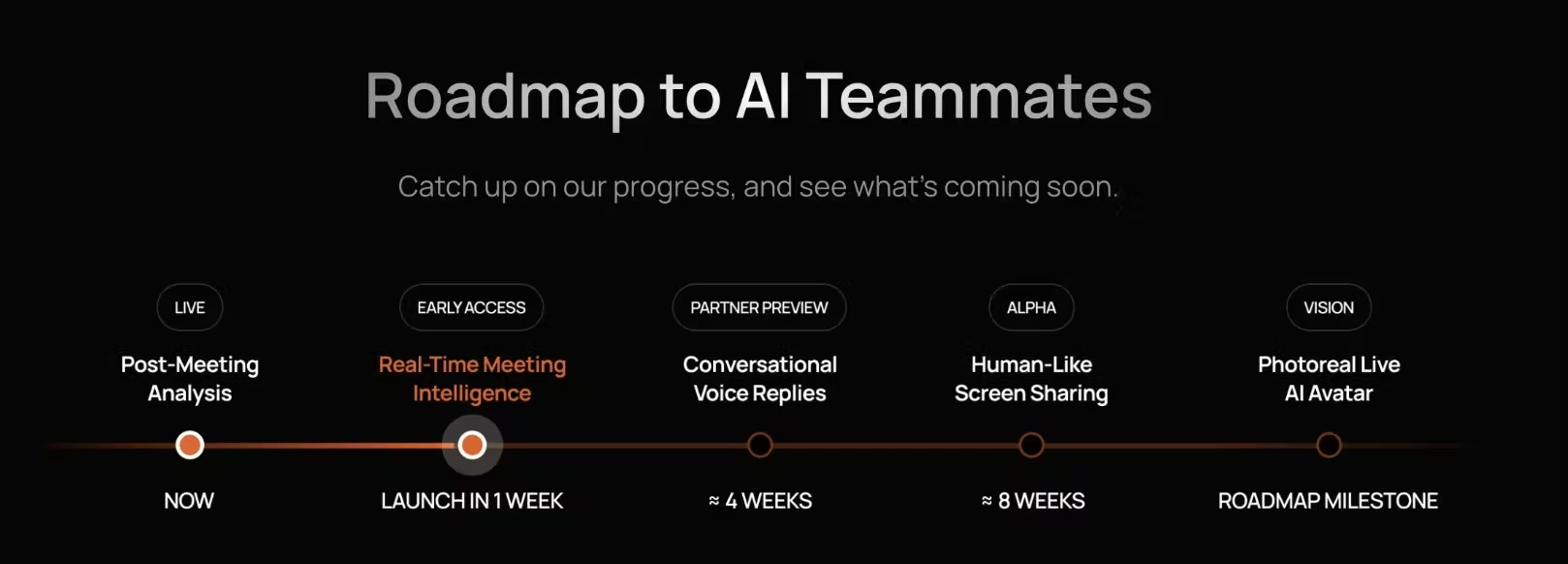
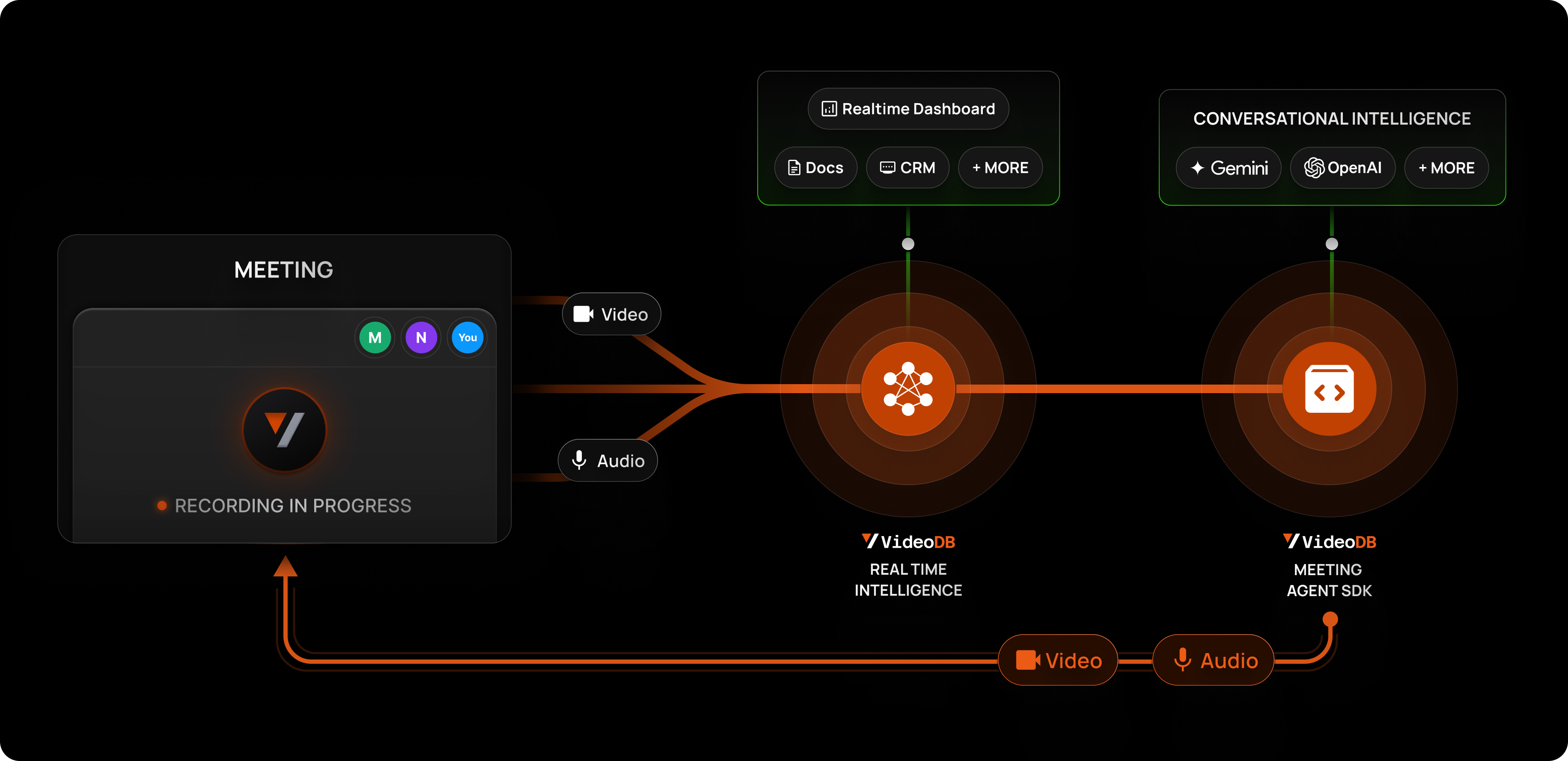
Record from Zoom, Google Meet, or Microsoft Teams. A bot joins your meeting, records, and uploads directly to VideoDB.
 ### Start Recording
```python Python theme={null}
meeting = conn.record_meeting(
meeting_url="https://meet.google.com/abc-defg-hij",
bot_name="Meeting Recorder",
bot_image_url="https://your-domain.com/bot-avatar.jpg",
meeting_title="Weekly Standup",
callback_url="https://your-backend.com/webhooks/meeting",
callback_data={"internal_id": "123"}
)
print(f"Recording started: {meeting.id}")
```
```javascript Node.js theme={null}
const meeting = await conn.recordMeeting({
meetingUrl: "https://meet.google.com/abc-defg-hij",
botName: "Meeting Recorder",
botImageUrl: "https://your-domain.com/bot-avatar.jpg",
meetingTitle: "Weekly Standup",
callbackUrl: "https://your-backend.com/webhooks/meeting",
callbackData: { internalId: "123" }
});
console.log(`Recording started: ${meeting.id}`);
```
### Recording to Collection
```python Python theme={null}
coll = conn.get_collection("your-collection-id")
meeting = coll.record_meeting(
meeting_url="https://zoom.us/j/123456789",
bot_name="Team Recorder",
meeting_title="Sprint Planning",
callback_url="https://your-backend.com/webhooks"
)
```
```javascript Node.js theme={null}
const coll = await conn.getCollection("your-collection-id");
const meeting = await coll.recordMeeting({
meetingUrl: "https://zoom.us/j/123456789",
botName: "Team Recorder",
meetingTitle: "Sprint Planning",
callbackUrl: "https://your-backend.com/webhooks"
});
```
### Track Recording Status
```python Python theme={null}
# Poll status
meeting.refresh()
print(f"Status: {meeting.status}")
# Wait for completion
if meeting.wait_for_status("done", timeout=3600, interval=60):
print("Recording complete!")
video = coll.get_video(meeting.video_id)
```
```javascript Node.js theme={null}
// Poll status
await meeting.refresh();
console.log(`Status: ${meeting.status}`);
// Wait for completion
const success = await meeting.waitForStatus("done", 3600, 60);
if (success) {
console.log("Recording complete!");
const video = await coll.getVideo(meeting.videoId);
}
```
### Recording Status Values
| Status | Description |
| :------------- | :------------------ |
| `initializing` | Bot is being set up |
| `processing` | Actively recording |
| `done` | Recording complete |
| `failed` | Recording failed |
### Callback Payload
**Success:**
```json theme={null}
{
"success": true,
"message": "Meeting recording completed.",
"data": {
"video_id": "m-xxx",
"speaker_timeline": [
{"speaker_name": "Alice", "start_time_seconds": 9.94}
],
"stream_url": "...",
"player_url": "..."
}
}
```
**Failure:**
```json theme={null}
{
"success": false,
"message": "Failed to record meeting."
}
```
### Access Recording
```python Python theme={null}
meeting = coll.get_meeting("meeting-id")
# Get the recorded video
video = coll.get_video(meeting.video_id)
# Now searchable, indexable, etc.
video.index_spoken_words()
```
```javascript Node.js theme={null}
const meeting = await coll.getMeeting("meeting-id");
// Get the recorded video
const video = await coll.getVideo(meeting.videoId);
// Now searchable, indexable, etc.
await video.indexSpokenWords();
```
***
## Supported Platforms
| Platform | URL Format |
| :-------------- | :------------------------------------- |
| Google Meet | `https://meet.google.com/xxx-xxxx-xxx` |
| Zoom | `https://zoom.us/j/123456789` |
| Microsoft Teams | Teams meeting link |
***
## Meeting Features
* **Brand-able Bot** - Custom name and avatar
* **Speaker Timeline** - Per-speaker timestamps (Google Meet)
* **Webhook Callbacks** - Get notified on completion
* **Collection Storage** - Video lands directly in your collection
### Start Recording
```python Python theme={null}
meeting = conn.record_meeting(
meeting_url="https://meet.google.com/abc-defg-hij",
bot_name="Meeting Recorder",
bot_image_url="https://your-domain.com/bot-avatar.jpg",
meeting_title="Weekly Standup",
callback_url="https://your-backend.com/webhooks/meeting",
callback_data={"internal_id": "123"}
)
print(f"Recording started: {meeting.id}")
```
```javascript Node.js theme={null}
const meeting = await conn.recordMeeting({
meetingUrl: "https://meet.google.com/abc-defg-hij",
botName: "Meeting Recorder",
botImageUrl: "https://your-domain.com/bot-avatar.jpg",
meetingTitle: "Weekly Standup",
callbackUrl: "https://your-backend.com/webhooks/meeting",
callbackData: { internalId: "123" }
});
console.log(`Recording started: ${meeting.id}`);
```
### Recording to Collection
```python Python theme={null}
coll = conn.get_collection("your-collection-id")
meeting = coll.record_meeting(
meeting_url="https://zoom.us/j/123456789",
bot_name="Team Recorder",
meeting_title="Sprint Planning",
callback_url="https://your-backend.com/webhooks"
)
```
```javascript Node.js theme={null}
const coll = await conn.getCollection("your-collection-id");
const meeting = await coll.recordMeeting({
meetingUrl: "https://zoom.us/j/123456789",
botName: "Team Recorder",
meetingTitle: "Sprint Planning",
callbackUrl: "https://your-backend.com/webhooks"
});
```
### Track Recording Status
```python Python theme={null}
# Poll status
meeting.refresh()
print(f"Status: {meeting.status}")
# Wait for completion
if meeting.wait_for_status("done", timeout=3600, interval=60):
print("Recording complete!")
video = coll.get_video(meeting.video_id)
```
```javascript Node.js theme={null}
// Poll status
await meeting.refresh();
console.log(`Status: ${meeting.status}`);
// Wait for completion
const success = await meeting.waitForStatus("done", 3600, 60);
if (success) {
console.log("Recording complete!");
const video = await coll.getVideo(meeting.videoId);
}
```
### Recording Status Values
| Status | Description |
| :------------- | :------------------ |
| `initializing` | Bot is being set up |
| `processing` | Actively recording |
| `done` | Recording complete |
| `failed` | Recording failed |
### Callback Payload
**Success:**
```json theme={null}
{
"success": true,
"message": "Meeting recording completed.",
"data": {
"video_id": "m-xxx",
"speaker_timeline": [
{"speaker_name": "Alice", "start_time_seconds": 9.94}
],
"stream_url": "...",
"player_url": "..."
}
}
```
**Failure:**
```json theme={null}
{
"success": false,
"message": "Failed to record meeting."
}
```
### Access Recording
```python Python theme={null}
meeting = coll.get_meeting("meeting-id")
# Get the recorded video
video = coll.get_video(meeting.video_id)
# Now searchable, indexable, etc.
video.index_spoken_words()
```
```javascript Node.js theme={null}
const meeting = await coll.getMeeting("meeting-id");
// Get the recorded video
const video = await coll.getVideo(meeting.videoId);
// Now searchable, indexable, etc.
await video.indexSpokenWords();
```
***
## Supported Platforms
| Platform | URL Format |
| :-------------- | :------------------------------------- |
| Google Meet | `https://meet.google.com/xxx-xxxx-xxx` |
| Zoom | `https://zoom.us/j/123456789` |
| Microsoft Teams | Teams meeting link |
***
## Meeting Features
* **Brand-able Bot** - Custom name and avatar
* **Speaker Timeline** - Per-speaker timestamps (Google Meet)
* **Webhook Callbacks** - Get notified on completion
* **Collection Storage** - Video lands directly in your collection
 ***
## Next Steps
Connect camera streams
Index and search live streams
***
## Next Steps
Connect camera streams
Index and search live streams