> ## Documentation Index
> Fetch the complete documentation index at: https://docs.videodb.io/llms.txt
> Use this file to discover all available pages before exploring further.
# Indexes & Search
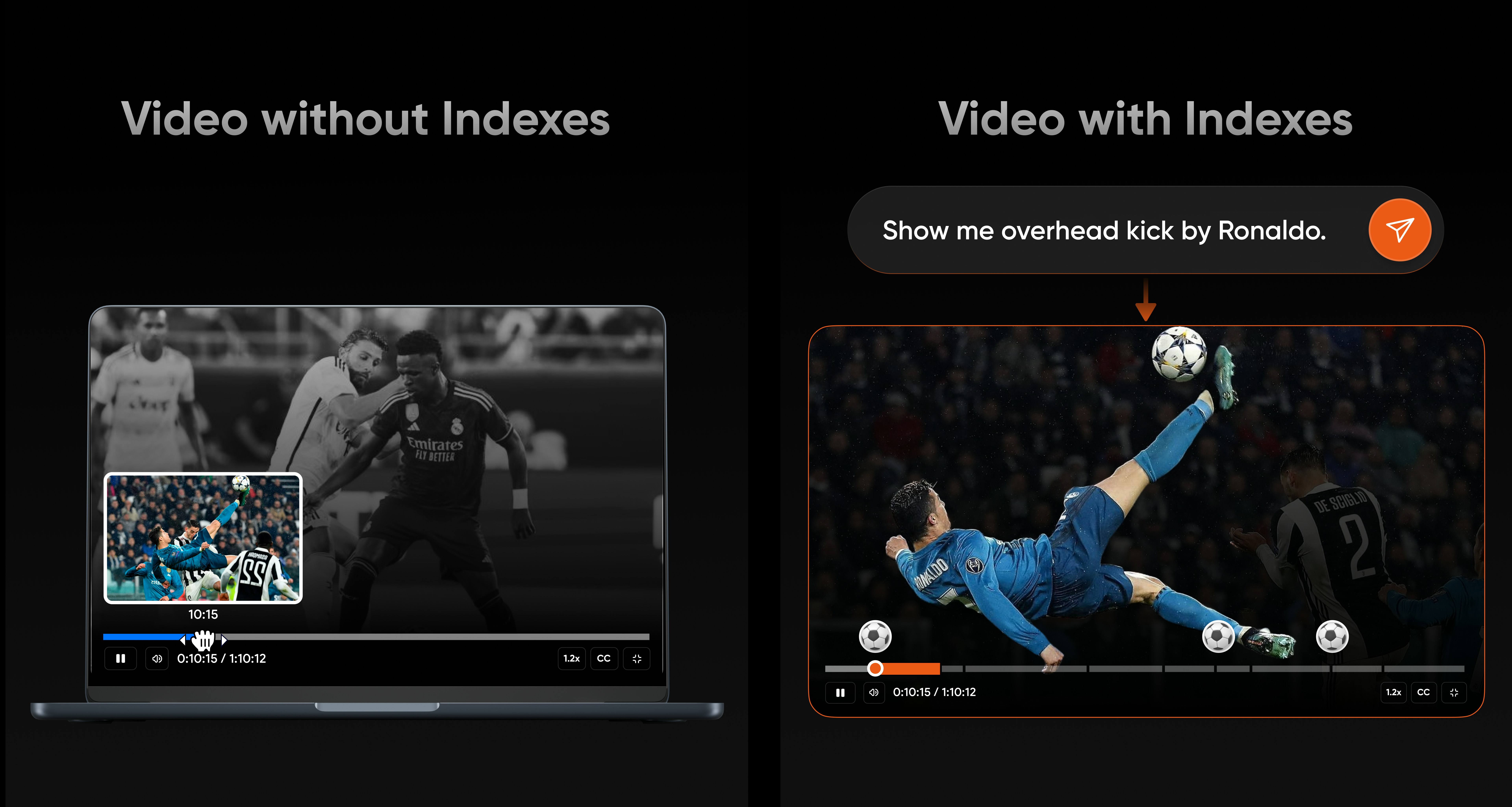
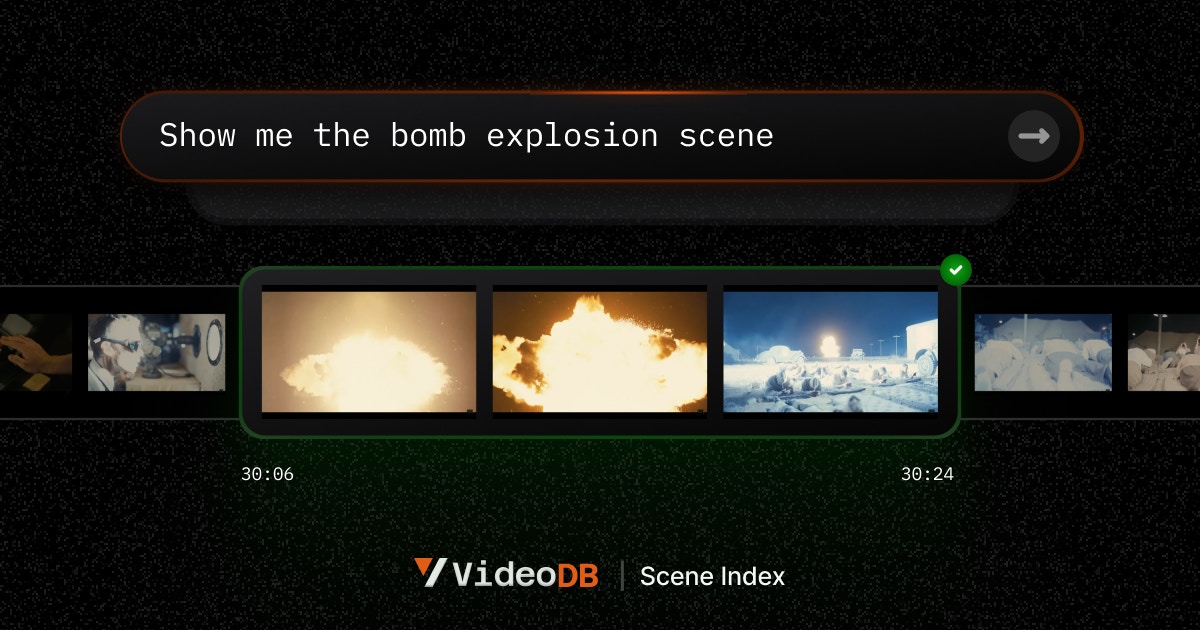
> Indexes turn raw media into searchable knowledge. Search returns playable evidence - timestamps and stream URLs you can verify.
## Quick Example
```python theme={null}
import videodb
conn = videodb.connect()
video = conn.get_collection().upload(url="https://example.com/video.mp4")
# Create an index with a prompt
index_id = video.index_scenes(
prompt="Extract key decisions and action items"
)
# Search returns playable evidence
results = video.search("budget approval", index_id=index_id)
for shot in results.shots:
print(f"{shot.start}s: {shot.text}")
shot.play() # Opens in browser
```
 ***
## Index Types
***
## Index Types
 | Type | Method | Use Case |
| :--------- | :--------------------------- | :------------------------------ |
| **Visual** | `video.index_scenes()` | Describe scenes, detect objects |
| **Spoken** | `video.index_spoken_words()` | Transcripts, spoken content |
| **Audio** | `rtstream.index_audio()` | Audio analysis, topics |
### Key Properties
* **Prompt-driven** - You define what to extract with natural language
* **Additive** - Multiple indexes on the same media
* **Non-destructive** - Add/remove without affecting source
```python theme={null}
# Multiple indexes = multiple perspectives
safety_index = video.index_scenes(prompt="Identify safety issues")
summary_index = video.index_scenes(prompt="Summarize each segment")
transcript = video.index_spoken_words()
```
***
## Search Scopes
```python theme={null}
# Single video
results = video.search("product demo")
# Single stream
results = rtstream.search("intrusion")
# Collection-wide
results = coll.search("quarterly results", index_type="scene")
```
***
## Playable Evidence
Every search result includes playable proof:
```python theme={null}
for shot in results.shots:
shot.start # 45.2 (seconds)
shot.end # 52.8
shot.text # "CEO announces Q3 results"
shot.search_score # 0.87
shot.play() # Verify the result
```
***
## Multi-Index Search
Search across visual and spoken content:
```python theme={null}
results = video.search(
query="budget discussion",
index_type=["scene", "spoken_word"]
)
```
* **Union** - Broader recall (results from any index)
* **Intersection** - Higher precision (matches in all indexes)
***
## Best Practices
1. **Be specific in prompts** - "Identify safety violations" beats "describe what you see"
2. **Use specific queries** - "red car entering lot" beats "car"
3. **Verify with playback** - Always validate with `shot.play()`
4. **Create focused indexes** - One index per question or domain
## What You Can Build
Create highlight reels from keyword-based search
Combine visual and spoken indexes for powerful queries
Extract clips featuring specific people from video libraries
***
## Next Steps
Detailed indexing patterns
Advanced search techniques
| Type | Method | Use Case |
| :--------- | :--------------------------- | :------------------------------ |
| **Visual** | `video.index_scenes()` | Describe scenes, detect objects |
| **Spoken** | `video.index_spoken_words()` | Transcripts, spoken content |
| **Audio** | `rtstream.index_audio()` | Audio analysis, topics |
### Key Properties
* **Prompt-driven** - You define what to extract with natural language
* **Additive** - Multiple indexes on the same media
* **Non-destructive** - Add/remove without affecting source
```python theme={null}
# Multiple indexes = multiple perspectives
safety_index = video.index_scenes(prompt="Identify safety issues")
summary_index = video.index_scenes(prompt="Summarize each segment")
transcript = video.index_spoken_words()
```
***
## Search Scopes
```python theme={null}
# Single video
results = video.search("product demo")
# Single stream
results = rtstream.search("intrusion")
# Collection-wide
results = coll.search("quarterly results", index_type="scene")
```
***
## Playable Evidence
Every search result includes playable proof:
```python theme={null}
for shot in results.shots:
shot.start # 45.2 (seconds)
shot.end # 52.8
shot.text # "CEO announces Q3 results"
shot.search_score # 0.87
shot.play() # Verify the result
```
***
## Multi-Index Search
Search across visual and spoken content:
```python theme={null}
results = video.search(
query="budget discussion",
index_type=["scene", "spoken_word"]
)
```
* **Union** - Broader recall (results from any index)
* **Intersection** - Higher precision (matches in all indexes)
***
## Best Practices
1. **Be specific in prompts** - "Identify safety violations" beats "describe what you see"
2. **Use specific queries** - "red car entering lot" beats "car"
3. **Verify with playback** - Always validate with `shot.play()`
4. **Create focused indexes** - One index per question or domain
## What You Can Build
Create highlight reels from keyword-based search
Combine visual and spoken indexes for powerful queries
Extract clips featuring specific people from video libraries
***
## Next Steps
Detailed indexing patterns
Advanced search techniques