> ## Documentation Index
> Fetch the complete documentation index at: https://docs.videodb.io/llms.txt
> Use this file to discover all available pages before exploring further.
# Profanity Detection
> Detect and censor curse words with audio overlays
 ### Overview
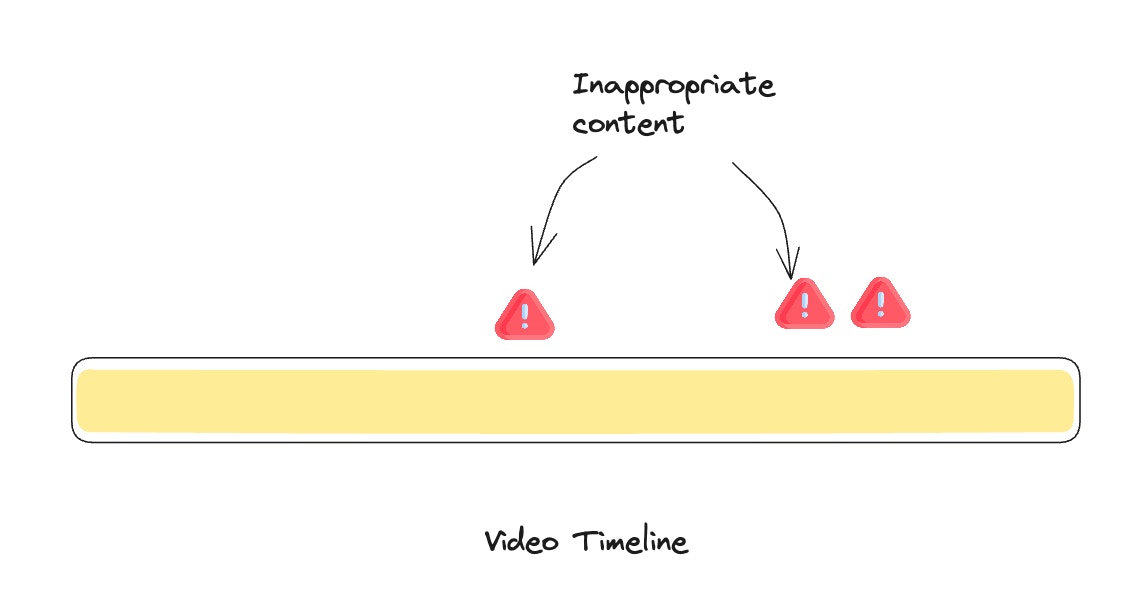
VideoDB's [Timeline Architecture](/pages/act/programmable-editing/timeline-architecture) makes it easy to personalize content to meet users' requirements. If users prefer not to include curse words in their content, VideoDB allows for these words to be either removed or replaced with a sound overlay such as beep sound.
This task, typically complex for video editors, can be accomplished with just **a few lines of code** using VideoDB.
This technique can also serve as a valuable **Content Moderation** component for any social content platform, ensuring that content meets the preferences and standards of its audience.
### Overview
VideoDB's [Timeline Architecture](/pages/act/programmable-editing/timeline-architecture) makes it easy to personalize content to meet users' requirements. If users prefer not to include curse words in their content, VideoDB allows for these words to be either removed or replaced with a sound overlay such as beep sound.
This task, typically complex for video editors, can be accomplished with just **a few lines of code** using VideoDB.
This technique can also serve as a valuable **Content Moderation** component for any social content platform, ensuring that content meets the preferences and standards of its audience.
 Let's dive in!
## Prerequisites
### Install Dependencies
```bash theme={null}
pip install videodb
```
You'll also need a VideoDB API\_KEY, which can be obtained from the VideoDB console.
## Connect to VideoDB
Connect to VideoDB using your API key. This establishes a session for uploading and manipulating video and audio files:
```python Python theme={null}
import videodb
# Set your API key
api_key = "your_api_key"
# Connect to VideoDB
conn = videodb.connect(api_key=api_key)
coll = conn.get_collection()
```
```javascript Node.js theme={null}
import { connect } from 'videodb';
const conn = await connect({ apiKey: process.env.VIDEO_DB_API_KEY });
```
##
## Source Content
For this tutorial, let's take the Joe Rogan clip, where he is trying to trick siri into using curse words 🤣
```python Python theme={null}
from videodb import play_stream
# Joe rogan video clip
coll = conn.get_collection()
video = coll.upload(url='https://www.youtube.com/watch?v=7MV6tUCUd-c')
# watch the original video
o_stream = video.generate_stream()
play_stream(o_stream)
```
```javascript Node.js theme={null}
// Joe rogan video clip
const coll = await conn.getCollection();
const video = await coll.uploadURL({ url: 'https://www.youtube.com/watch?v=7MV6tUCUd-c' });
// watch the original video
const oStream = await video.generateStream();
console.log(oStream);
```
## Index the video
Find out the curse words with the spoken Index.
```python Python theme={null}
# index spoken content in the video
video.index_spoken_words()
```
```javascript Node.js theme={null}
// index spoken content in the video
await video.indexSpokenWords();
```
### Create Beep Asset
We have a sample beep sound in this folder, `beep.wav`. For those looking to add a more playful or unique touch, replacing the beep with alternative sound effects, such as a quack or any other sound, can make the content more engaging and fun.
```python Python theme={null}
# Import Editor SDK components
from videodb.editor import VideoAsset, AudioAsset, Timeline, Track, Clip
# upload beep sound - This is just a sample, you can replace it with quack or any other sound effect.
beep = coll.upload(file_path="beep.wav")
# Create audio asset from beep sound
beep_asset = AudioAsset(id=beep.id)
```
```javascript Node.js theme={null}
import { VideoAsset, AudioAsset, EditorTimeline, Track, Clip } from 'videodb';
// upload beep sound - This is just a sample, you can replace it with quack or any other sound effect.
const coll = await conn.getCollection();
const beep = await coll.uploadFile({
filePath: "beep.wav"
});
// Create audio asset from beep sound
const beepAsset = new AudioAsset({ id: beep.id });
```
## Moderation
To ensure appropriate content management, it's necessary to have a method for identifying profanity and applying a predefined overlay to censor it. In this tutorial, we've included a list of curse words. Feel free to customize this list according to your requirements.
```python Python theme={null}
curse_words_list = ['shit', 'ass', 'shity', 'fuck', 'motherfucker','damn', 'fucking', 'motherfuker']
```
```javascript Node.js theme={null}
const curseWordsList = ['shit', 'ass', 'shity', 'fuck', 'motherfucker', 'damn', 'fucking', 'motherfuker'];
```
## Get Transcript
Retrieve the transcript from the indexed video to analyze each word:
```python Python theme={null}
transcript = video.get_transcript()
```
```javascript Node.js theme={null}
const transcript = await video.getTranscript();
```
## Finding the Curse Words
We'll use few NLP techniques to identify all variations of any offensive words, eliminating the need to manually find and include each form. Additionally, by analyzing the transcript, you can gain insights into how these sounds are transcribed, acknowledging the possibility of errors.
```python Python theme={null}
#install spacy
!pip -q install spacy
#install dataset english core
!python -m spacy download en_core_web_sm
# load the english corpus
import spacy
import re
nlp = spacy.load("en_core_web_sm")
def get_root_word(word):
"""
This function convert each word into its root word
"""
try:
#clean punctuations
cleaned_word = re.sub(r'[^\w\s]', '', word)
# Process the sentence
doc = nlp(cleaned_word)
# Lemmatize the word
lemmatized_word = [token.lemma_ for token in doc][0] # Assuming single word input
return lemmatized_word
except Exception as e:
print(f"some issue with lemma for the word {word}")
return word
```
```javascript Node.js theme={null}
// Install natural: npm install natural
import natural from 'natural';
const stemmer = natural.PorterStemmer;
// Pre-stem the curse words list so comparisons work correctly
const stemmedCurseWords = curseWordsList.map(w => stemmer.stem(w));
function getRootWord(word) {
/**
* This function converts each word into its root word (stem)
*/
try {
// Clean punctuations
const cleanedWord = word.replace(/[^\w\s]/g, '');
// Stem the word
const stemmedWord = stemmer.stem(cleanedWord);
return stemmedWord;
} catch (e) {
console.log(`some issue with stemming for the word ${word}`);
return word;
}
}
```
### Filter words and Create Fresh Timeline
First we will identify the timestamps to beep, and then let's create a timeline using the `Track` and `Clip` pattern. Add the video clip to the main track, then loop through the transcript to add beep overlays wherever curse words are detected.
```python Python theme={null}
# 1. Filter and prepare curse metadata
padding = 0.15
curse_intervals = [
{
'word': w.get('text'),
'start': max(0.0, float(w['start']) - padding),
'end': min(float(video.length), float(w['end']) + padding),
'raw_start': float(w['start']),
'raw_end': float(w['end'])
}
for w in transcript
if w.get('text') != '-' and get_root_word(w.get('text')) in curse_words_list
]
# 2. Building the Timeline
from videodb.editor import Timeline, Track, VideoAsset, AudioAsset, Clip
timeline = Timeline(conn)
video_track = Track()
beep_track = Track()
current_time = 0.0
print(f"{'WORD':<15} | {'START':<8} | {'END':<8} | {'DURATION'}")
print("-" * 50)
for interval in curse_intervals:
# A. Clean segment
if interval['start'] > current_time:
clean_dur = interval['start'] - current_time
video_track.add_clip(current_time, Clip(asset=VideoAsset(id=video.id, start=current_time), duration=clean_dur))
# B. Muted segment
mute_dur = interval['end'] - interval['start']
video_track.add_clip(interval['start'], Clip(asset=VideoAsset(id=video.id, start=interval['start'], volume=0.0), duration=mute_dur))
# C. Beep overlay
beep_dur = interval['raw_end'] - interval['raw_start']
beep_track.add_clip(interval['raw_start'], Clip(asset=AudioAsset(id=beep.id, start=0, volume=2.0), duration=min(beep_dur, float(beep.length))))
# D. Professional Print Message
print(f"{interval['word']:<15} | {interval['raw_start']:<8.2f} | {interval['raw_end']:<8.2f} | {beep_dur:.2f}s")
current_time = interval['end']
# E. Final clean segment
if current_time < float(video.length):
video_track.add_clip(current_time, Clip(asset=VideoAsset(id=video.id, start=current_time), duration=float(video.length) - current_time))
timeline.add_track(video_track)
timeline.add_track(beep_track)
stream_url = timeline.generate_stream()
print(f"\nProcessing complete. Stream URL: {stream_url}")
```
```javascript Node.js theme={null}
// 1. Filter and prepare curse metadata
const padding = 0.15;
const curseIntervals = transcript
.filter(w => w.text !== '-' && stemmedCurseWords.includes(getRootWord(w.text)))
.map(w => ({
word: w.text,
start: Math.max(0.0, parseFloat(w.start) - padding),
end: Math.min(parseFloat(video.length), parseFloat(w.end) + padding),
rawStart: parseFloat(w.start),
rawEnd: parseFloat(w.end)
}));
// 2. Building the Timeline
import { EditorTimeline, Track, VideoAsset, AudioAsset, Clip } from 'videodb';
const timeline = new EditorTimeline(conn);
const videoTrack = new Track();
const beepTrack = new Track();
let currentTime = 0.0;
console.log(`${'WORD'.padEnd(15)} | ${'START'.padEnd(8)} | ${'END'.padEnd(8)} | DURATION`);
console.log('-'.repeat(50));
for (const interval of curseIntervals) {
// A. Clean segment
if (interval.start > currentTime) {
const cleanDur = interval.start - currentTime;
videoTrack.addClip(currentTime, new Clip({
asset: new VideoAsset({ id: video.id, start: currentTime }),
duration: cleanDur
}));
}
// B. Muted segment
const muteDur = interval.end - interval.start;
videoTrack.addClip(interval.start, new Clip({
asset: new VideoAsset({ id: video.id, start: interval.start, volume: 0.0 }),
duration: muteDur
}));
// C. Beep overlay
const beepDur = interval.rawEnd - interval.rawStart;
beepTrack.addClip(interval.rawStart, new Clip({
asset: new AudioAsset({ id: beep.id, start: 0, volume: 2.0 }),
duration: Math.min(beepDur, parseFloat(beep.length))
}));
// D. Professional Print Message
console.log(`${interval.word.padEnd(15)} | ${interval.rawStart.toFixed(2).padEnd(8)} | ${interval.rawEnd.toFixed(2).padEnd(8)} | ${beepDur.toFixed(2)}s`);
currentTime = interval.end;
}
// E. Final clean segment
if (currentTime < parseFloat(video.length)) {
videoTrack.addClip(currentTime, new Clip({
asset: new VideoAsset({ id: video.id, start: currentTime }),
duration: parseFloat(video.length) - currentTime
}));
}
timeline.addTrack(videoTrack);
timeline.addTrack(beepTrack);
const streamUrl = await timeline.generateStream();
console.log(`\nProcessing complete. Stream URL: ${streamUrl}`);
```
### Review and Share Your Moderated Video
Finally, watch and share your new stream:
```python Python theme={null}
from videodb import play_stream
play_stream(stream_url)
```
```javascript Node.js theme={null}
console.log(streamUrl);
```
## The Real Power of Programmable Streams
If you have videos pre-uploaded and indexed, running this beep pipeline is **real-time**. So, based on your users' choices or your platform's policy, you can use information from spoken content to automatically moderate.
Open the complete implementation in Google Colab with all code examples.
## Related Tutorials
Remove inappropriate sections from videos entirely
Learn how programmable streams power real-time moderation
Let's dive in!
## Prerequisites
### Install Dependencies
```bash theme={null}
pip install videodb
```
You'll also need a VideoDB API\_KEY, which can be obtained from the VideoDB console.
## Connect to VideoDB
Connect to VideoDB using your API key. This establishes a session for uploading and manipulating video and audio files:
```python Python theme={null}
import videodb
# Set your API key
api_key = "your_api_key"
# Connect to VideoDB
conn = videodb.connect(api_key=api_key)
coll = conn.get_collection()
```
```javascript Node.js theme={null}
import { connect } from 'videodb';
const conn = await connect({ apiKey: process.env.VIDEO_DB_API_KEY });
```
##
## Source Content
For this tutorial, let's take the Joe Rogan clip, where he is trying to trick siri into using curse words 🤣
```python Python theme={null}
from videodb import play_stream
# Joe rogan video clip
coll = conn.get_collection()
video = coll.upload(url='https://www.youtube.com/watch?v=7MV6tUCUd-c')
# watch the original video
o_stream = video.generate_stream()
play_stream(o_stream)
```
```javascript Node.js theme={null}
// Joe rogan video clip
const coll = await conn.getCollection();
const video = await coll.uploadURL({ url: 'https://www.youtube.com/watch?v=7MV6tUCUd-c' });
// watch the original video
const oStream = await video.generateStream();
console.log(oStream);
```
## Index the video
Find out the curse words with the spoken Index.
```python Python theme={null}
# index spoken content in the video
video.index_spoken_words()
```
```javascript Node.js theme={null}
// index spoken content in the video
await video.indexSpokenWords();
```
### Create Beep Asset
We have a sample beep sound in this folder, `beep.wav`. For those looking to add a more playful or unique touch, replacing the beep with alternative sound effects, such as a quack or any other sound, can make the content more engaging and fun.
```python Python theme={null}
# Import Editor SDK components
from videodb.editor import VideoAsset, AudioAsset, Timeline, Track, Clip
# upload beep sound - This is just a sample, you can replace it with quack or any other sound effect.
beep = coll.upload(file_path="beep.wav")
# Create audio asset from beep sound
beep_asset = AudioAsset(id=beep.id)
```
```javascript Node.js theme={null}
import { VideoAsset, AudioAsset, EditorTimeline, Track, Clip } from 'videodb';
// upload beep sound - This is just a sample, you can replace it with quack or any other sound effect.
const coll = await conn.getCollection();
const beep = await coll.uploadFile({
filePath: "beep.wav"
});
// Create audio asset from beep sound
const beepAsset = new AudioAsset({ id: beep.id });
```
## Moderation
To ensure appropriate content management, it's necessary to have a method for identifying profanity and applying a predefined overlay to censor it. In this tutorial, we've included a list of curse words. Feel free to customize this list according to your requirements.
```python Python theme={null}
curse_words_list = ['shit', 'ass', 'shity', 'fuck', 'motherfucker','damn', 'fucking', 'motherfuker']
```
```javascript Node.js theme={null}
const curseWordsList = ['shit', 'ass', 'shity', 'fuck', 'motherfucker', 'damn', 'fucking', 'motherfuker'];
```
## Get Transcript
Retrieve the transcript from the indexed video to analyze each word:
```python Python theme={null}
transcript = video.get_transcript()
```
```javascript Node.js theme={null}
const transcript = await video.getTranscript();
```
## Finding the Curse Words
We'll use few NLP techniques to identify all variations of any offensive words, eliminating the need to manually find and include each form. Additionally, by analyzing the transcript, you can gain insights into how these sounds are transcribed, acknowledging the possibility of errors.
```python Python theme={null}
#install spacy
!pip -q install spacy
#install dataset english core
!python -m spacy download en_core_web_sm
# load the english corpus
import spacy
import re
nlp = spacy.load("en_core_web_sm")
def get_root_word(word):
"""
This function convert each word into its root word
"""
try:
#clean punctuations
cleaned_word = re.sub(r'[^\w\s]', '', word)
# Process the sentence
doc = nlp(cleaned_word)
# Lemmatize the word
lemmatized_word = [token.lemma_ for token in doc][0] # Assuming single word input
return lemmatized_word
except Exception as e:
print(f"some issue with lemma for the word {word}")
return word
```
```javascript Node.js theme={null}
// Install natural: npm install natural
import natural from 'natural';
const stemmer = natural.PorterStemmer;
// Pre-stem the curse words list so comparisons work correctly
const stemmedCurseWords = curseWordsList.map(w => stemmer.stem(w));
function getRootWord(word) {
/**
* This function converts each word into its root word (stem)
*/
try {
// Clean punctuations
const cleanedWord = word.replace(/[^\w\s]/g, '');
// Stem the word
const stemmedWord = stemmer.stem(cleanedWord);
return stemmedWord;
} catch (e) {
console.log(`some issue with stemming for the word ${word}`);
return word;
}
}
```
### Filter words and Create Fresh Timeline
First we will identify the timestamps to beep, and then let's create a timeline using the `Track` and `Clip` pattern. Add the video clip to the main track, then loop through the transcript to add beep overlays wherever curse words are detected.
```python Python theme={null}
# 1. Filter and prepare curse metadata
padding = 0.15
curse_intervals = [
{
'word': w.get('text'),
'start': max(0.0, float(w['start']) - padding),
'end': min(float(video.length), float(w['end']) + padding),
'raw_start': float(w['start']),
'raw_end': float(w['end'])
}
for w in transcript
if w.get('text') != '-' and get_root_word(w.get('text')) in curse_words_list
]
# 2. Building the Timeline
from videodb.editor import Timeline, Track, VideoAsset, AudioAsset, Clip
timeline = Timeline(conn)
video_track = Track()
beep_track = Track()
current_time = 0.0
print(f"{'WORD':<15} | {'START':<8} | {'END':<8} | {'DURATION'}")
print("-" * 50)
for interval in curse_intervals:
# A. Clean segment
if interval['start'] > current_time:
clean_dur = interval['start'] - current_time
video_track.add_clip(current_time, Clip(asset=VideoAsset(id=video.id, start=current_time), duration=clean_dur))
# B. Muted segment
mute_dur = interval['end'] - interval['start']
video_track.add_clip(interval['start'], Clip(asset=VideoAsset(id=video.id, start=interval['start'], volume=0.0), duration=mute_dur))
# C. Beep overlay
beep_dur = interval['raw_end'] - interval['raw_start']
beep_track.add_clip(interval['raw_start'], Clip(asset=AudioAsset(id=beep.id, start=0, volume=2.0), duration=min(beep_dur, float(beep.length))))
# D. Professional Print Message
print(f"{interval['word']:<15} | {interval['raw_start']:<8.2f} | {interval['raw_end']:<8.2f} | {beep_dur:.2f}s")
current_time = interval['end']
# E. Final clean segment
if current_time < float(video.length):
video_track.add_clip(current_time, Clip(asset=VideoAsset(id=video.id, start=current_time), duration=float(video.length) - current_time))
timeline.add_track(video_track)
timeline.add_track(beep_track)
stream_url = timeline.generate_stream()
print(f"\nProcessing complete. Stream URL: {stream_url}")
```
```javascript Node.js theme={null}
// 1. Filter and prepare curse metadata
const padding = 0.15;
const curseIntervals = transcript
.filter(w => w.text !== '-' && stemmedCurseWords.includes(getRootWord(w.text)))
.map(w => ({
word: w.text,
start: Math.max(0.0, parseFloat(w.start) - padding),
end: Math.min(parseFloat(video.length), parseFloat(w.end) + padding),
rawStart: parseFloat(w.start),
rawEnd: parseFloat(w.end)
}));
// 2. Building the Timeline
import { EditorTimeline, Track, VideoAsset, AudioAsset, Clip } from 'videodb';
const timeline = new EditorTimeline(conn);
const videoTrack = new Track();
const beepTrack = new Track();
let currentTime = 0.0;
console.log(`${'WORD'.padEnd(15)} | ${'START'.padEnd(8)} | ${'END'.padEnd(8)} | DURATION`);
console.log('-'.repeat(50));
for (const interval of curseIntervals) {
// A. Clean segment
if (interval.start > currentTime) {
const cleanDur = interval.start - currentTime;
videoTrack.addClip(currentTime, new Clip({
asset: new VideoAsset({ id: video.id, start: currentTime }),
duration: cleanDur
}));
}
// B. Muted segment
const muteDur = interval.end - interval.start;
videoTrack.addClip(interval.start, new Clip({
asset: new VideoAsset({ id: video.id, start: interval.start, volume: 0.0 }),
duration: muteDur
}));
// C. Beep overlay
const beepDur = interval.rawEnd - interval.rawStart;
beepTrack.addClip(interval.rawStart, new Clip({
asset: new AudioAsset({ id: beep.id, start: 0, volume: 2.0 }),
duration: Math.min(beepDur, parseFloat(beep.length))
}));
// D. Professional Print Message
console.log(`${interval.word.padEnd(15)} | ${interval.rawStart.toFixed(2).padEnd(8)} | ${interval.rawEnd.toFixed(2).padEnd(8)} | ${beepDur.toFixed(2)}s`);
currentTime = interval.end;
}
// E. Final clean segment
if (currentTime < parseFloat(video.length)) {
videoTrack.addClip(currentTime, new Clip({
asset: new VideoAsset({ id: video.id, start: currentTime }),
duration: parseFloat(video.length) - currentTime
}));
}
timeline.addTrack(videoTrack);
timeline.addTrack(beepTrack);
const streamUrl = await timeline.generateStream();
console.log(`\nProcessing complete. Stream URL: ${streamUrl}`);
```
### Review and Share Your Moderated Video
Finally, watch and share your new stream:
```python Python theme={null}
from videodb import play_stream
play_stream(stream_url)
```
```javascript Node.js theme={null}
console.log(streamUrl);
```
## The Real Power of Programmable Streams
If you have videos pre-uploaded and indexed, running this beep pipeline is **real-time**. So, based on your users' choices or your platform's policy, you can use information from spoken content to automatically moderate.
Open the complete implementation in Google Colab with all code examples.
## Related Tutorials
Remove inappropriate sections from videos entirely
Learn how programmable streams power real-time moderation